OpenClaw For Ecommerce: What’s Real And What’s Hype

OpenClaw blew up fast, and ecommerce blogs jumped on it just as fast. Scroll through enough of them and you'll see wild promises: agents that supposedly run your whole store, stats that sound too good to check. Some of that is real. A lot of it isn't.
This guide skips the hype and gets specific. Here's what sellers are genuinely building with OpenClaw, where it falls short of a dedicated tool, and which numbers floating around the internet don't hold up.
TL;DR
If you only read one section, make it this one. OpenClaw works well for tasks that just need to check, watch, or draft something, like comparing stock counts across two stores or writing a first draft of a cart recovery email. It doesn't replace tools built specifically for pricing, email, or inventory, and most of the eye-popping stats floating around about it online trace back to marketing blogs, not real research.
Now for the breakdown.
How Is OpenClaw for Ecommerce (and What Is It Really?)
OpenClaw is a free, open source assistant you set up and run yourself, built by developer Peter Steinberger and a growing community of contributors. It lives on your own computer instead of someone else's server, and it talks with you on apps you already use, like WhatsApp, Telegram, Slack, and Discord, browses the web, fills out forms, and even runs commands for you, according to the project's official GitHub page and official site.
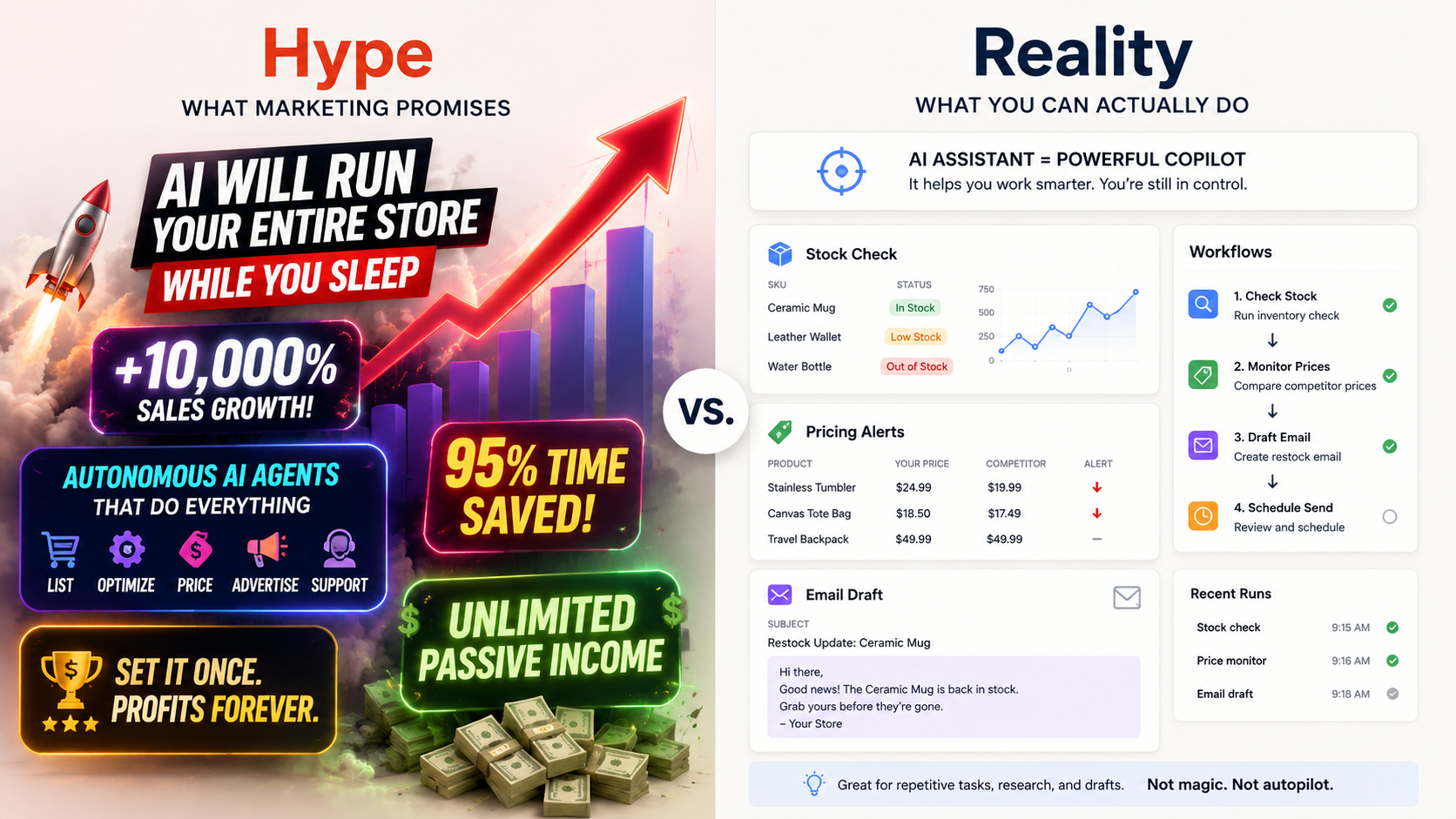
It wasn't built for ecommerce specifically though. Sellers teach it ecommerce tricks by installing small instruction sets called skills, pulled from a marketplace called ClawHub. Every example below started as someone building one of these skills themselves, not a feature that came switched on.
These are the 10 workflows sellers actually build with OpenClaw, starting with the one most stores set up first:
1. Checking Stock So You Don't Have To
Selling the same product on Shopify and Amazon means stock counts can drift apart fast, especially once some of that inventory is routed through something like Amazon Warehousing and Distribution instead of sitting in one place. A browser skill handles this by logging into both dashboards on a schedule and comparing the numbers.
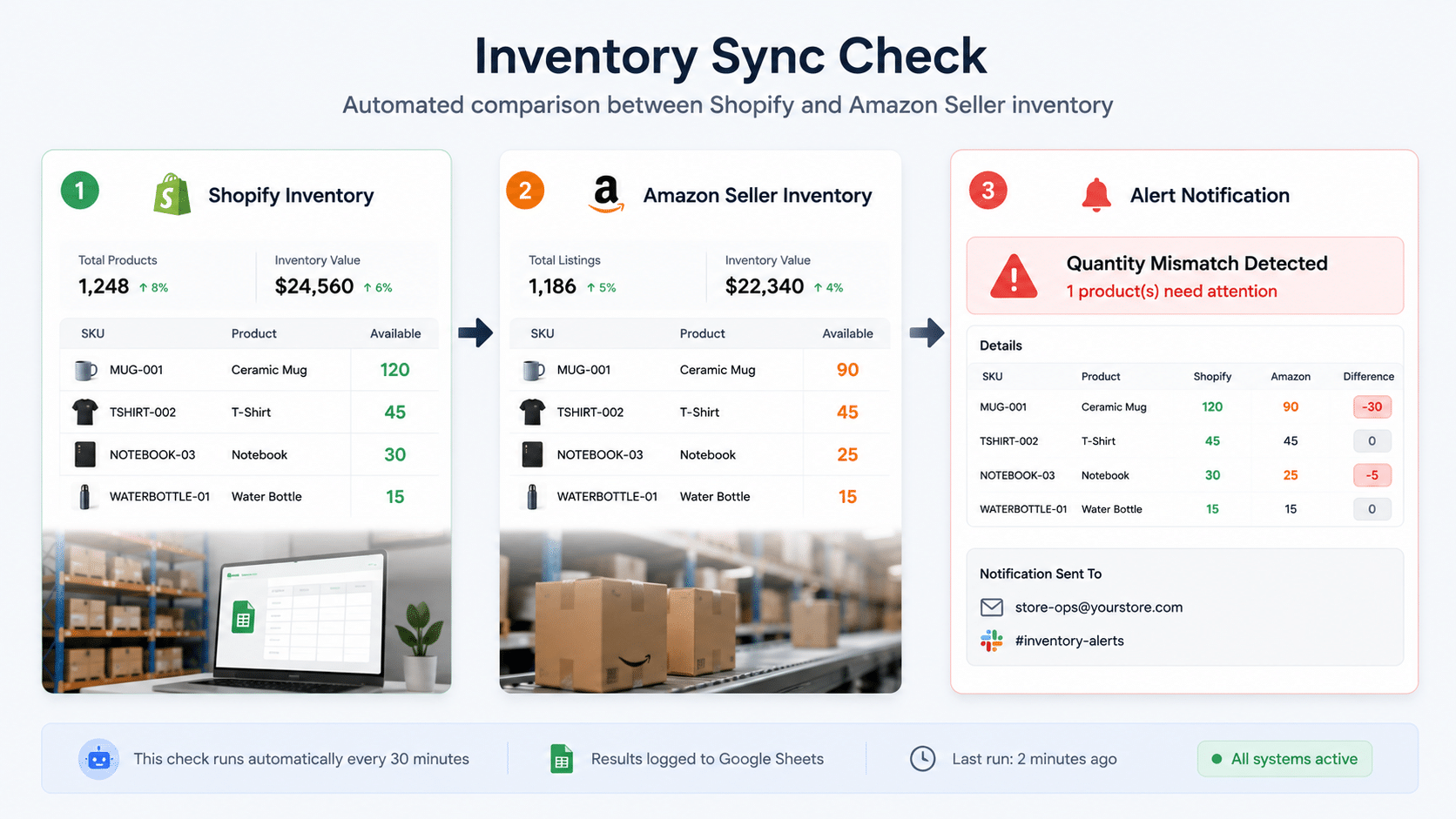
Most sellers scope the login to read-only access first, so the agent can't accidentally edit a live listing while it checks.
The basic version runs in three steps:
- Pull the current quantity from Shopify Admin or its Inventory API.
- Open a browser session to Amazon Seller Central and read the matching SKU.
- Flag any gap above a chosen threshold in a spreadsheet or chat message.
2. Keeping An Eye On Competitor Prices
A lot of sellers just want to know when a competitor changes their price, without checking five tabs a day. A browser skill can handle that: point it at a list of product pages, check on a timer, save each price with a timestamp.
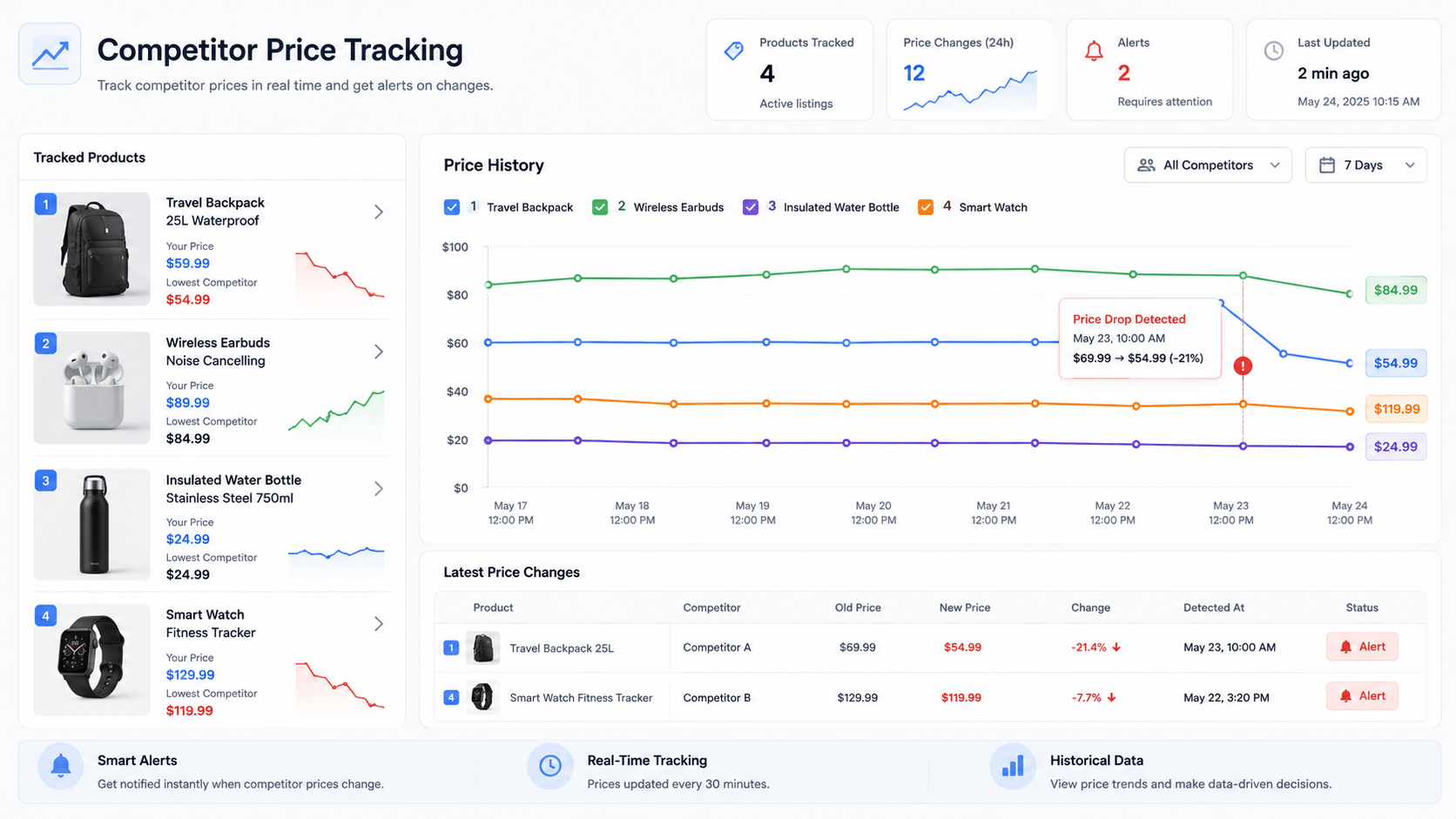
That builds a price history over a few weeks, which is handy, but it's not the same as automatic repricing. Tools like Helium 10 vs Jungle Scout actually change your price and protect a profit floor. OpenClaw just gathers the numbers and leaves the decision up to you.

3. One Assistant For Every Chat App
Customers message you wherever they already hang out, and OpenClaw answers on WhatsApp, Telegram, Slack, and Discord at the same time, using one shared brain. Whoever messages you gets the same good answer, no matter which app they picked.
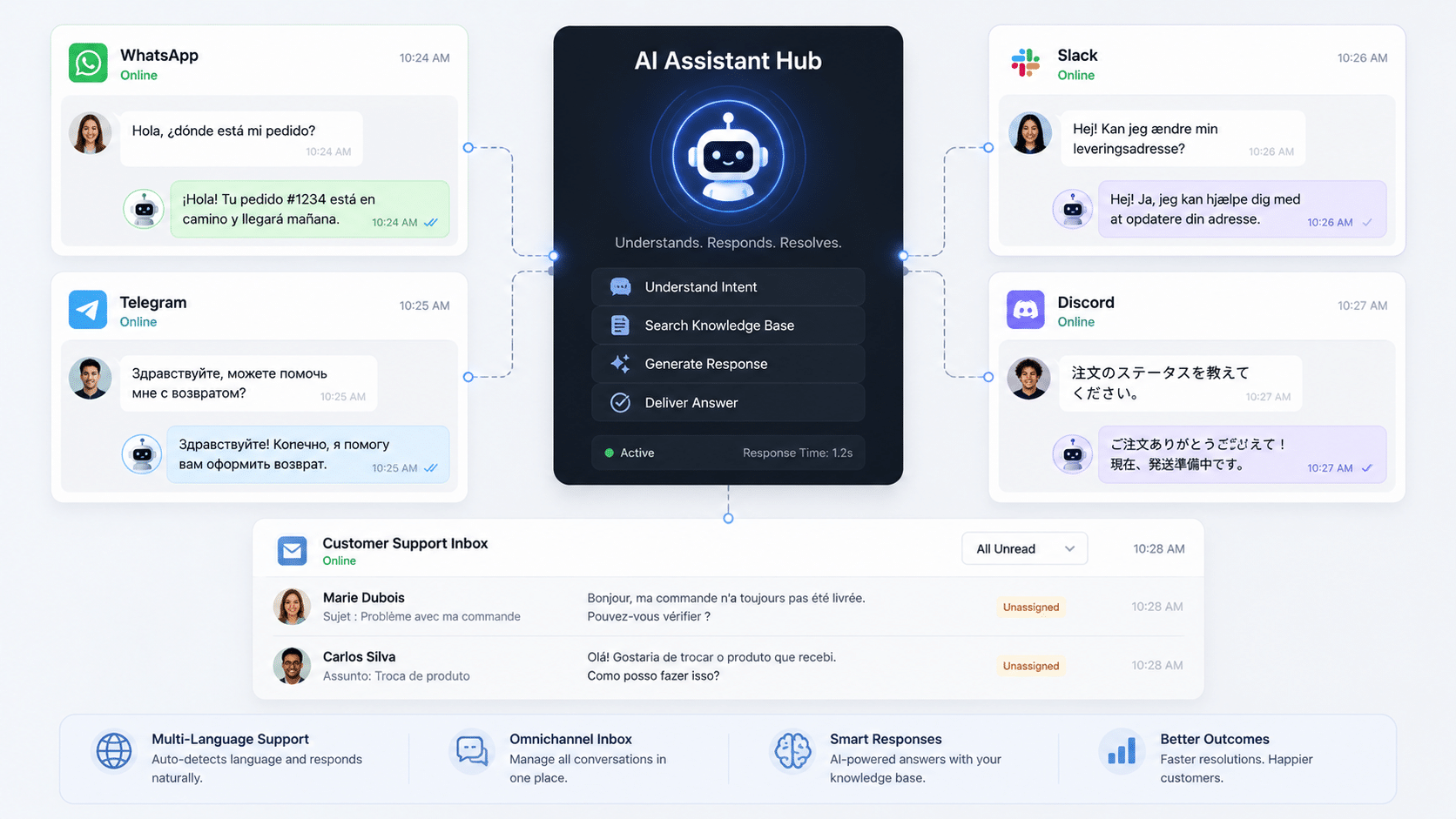
Selling internationally? This works the same way ChatGPT handles global ecommerce support: since the assistant runs on a general language model instead of scripted replies, it answers in whatever language someone used to ask.
4. Drafting Cart Recovery Emails
Shoppers add things to their cart and vanish all the time. Instead of building a recovery sequence inside their store software, some sellers just ask OpenClaw to draft one.
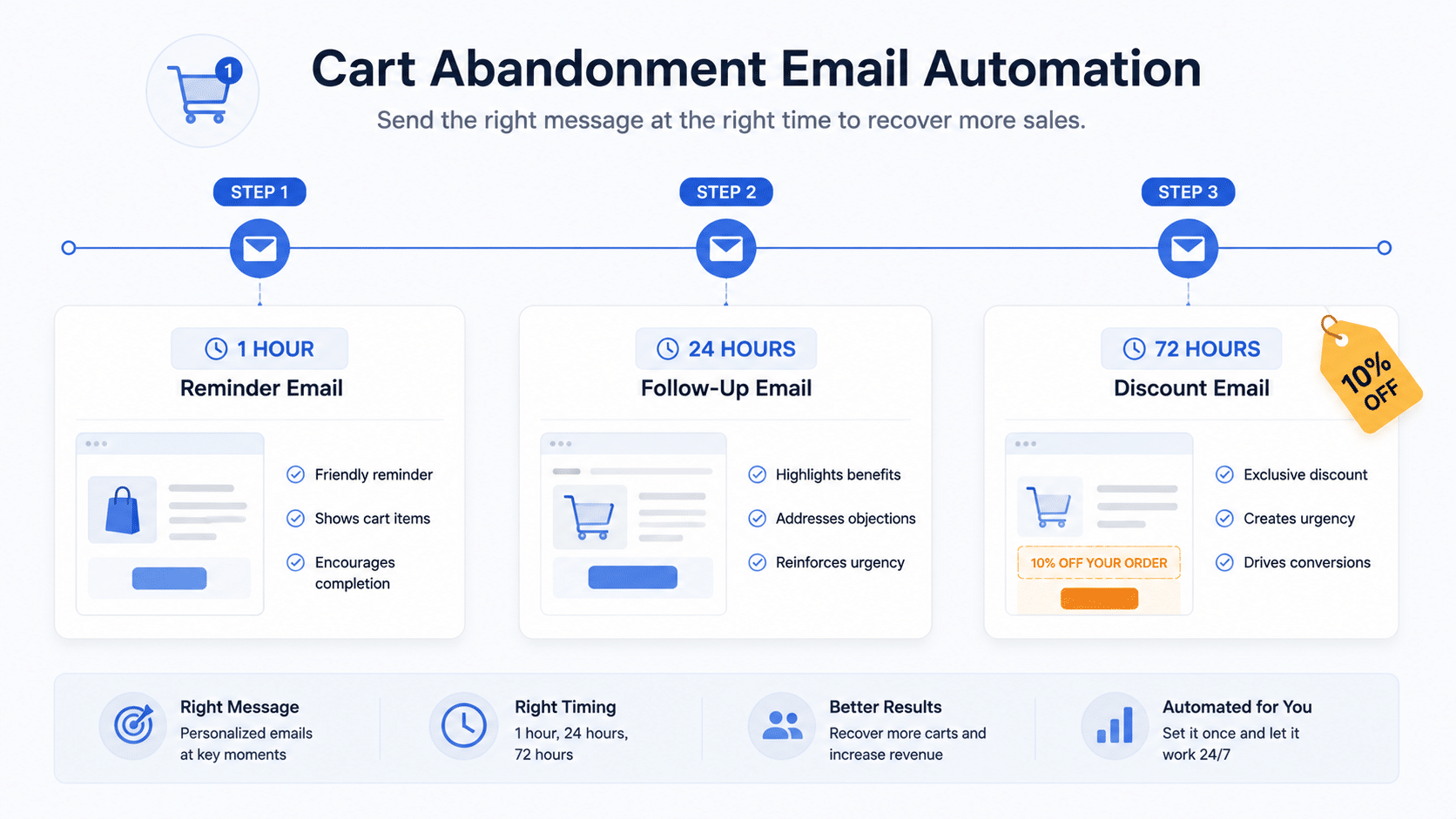
A solid pattern looks like this: a plain reminder at one hour, another at 24 hours, and a discount only on the third message at 72 hours. Lead with a discount too early and you're just training shoppers to abandon their cart on purpose.
Most platforms like WooCommerce & Shopify already build this in, so OpenClaw mainly helps with the writing and testing new versions.
5. Writing Listings For A New Market
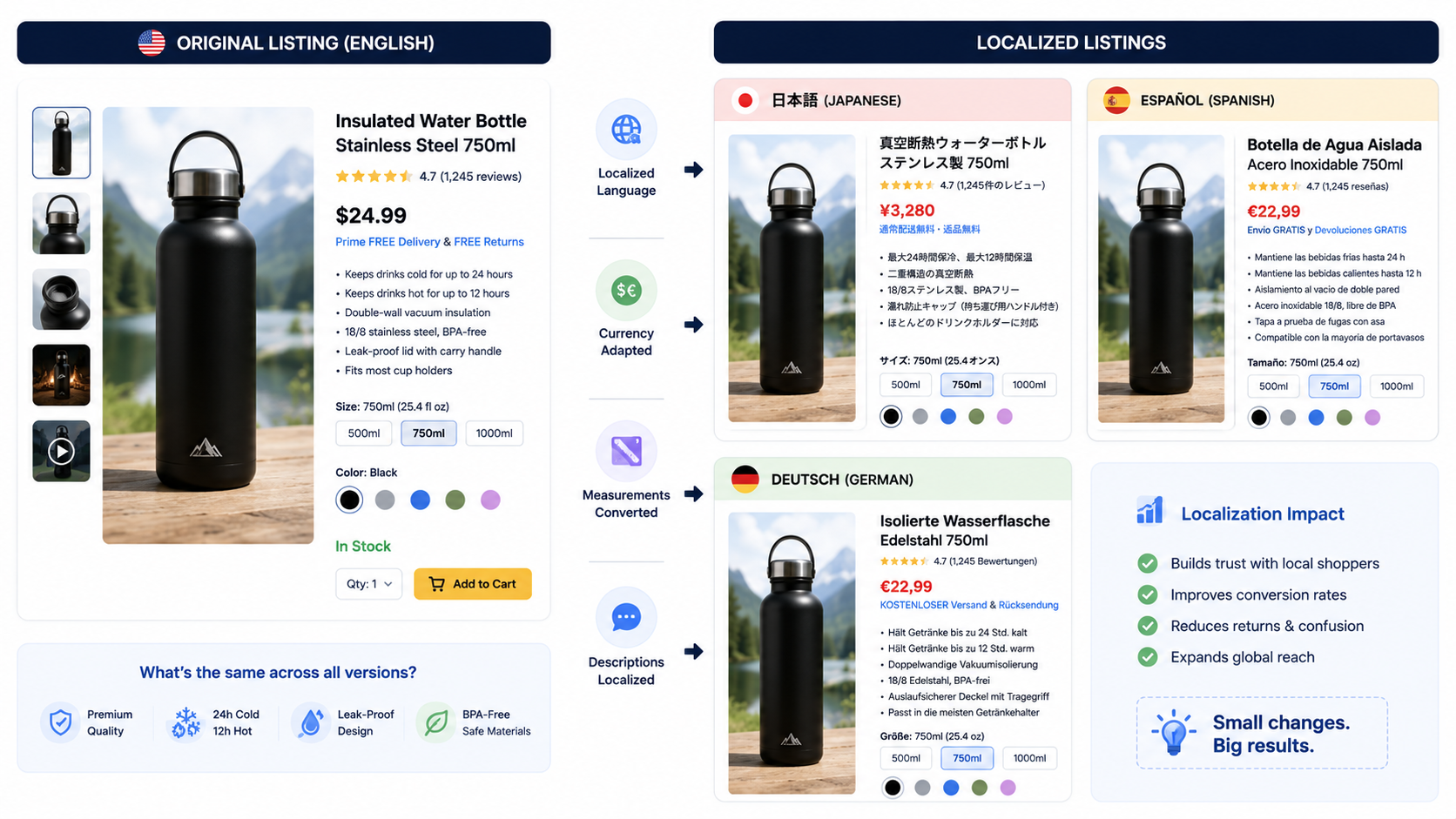
Expanding into a new country? The copy on your product pages needs to sound natural there, not just translated word for word. Sellers feed OpenClaw a sample of their brand voice and ask for fresh writing in the new language.
A real person still checks the first batch before anything goes live. Even a good AI model gets sizing terms, materials, or local phrasing wrong sometimes.
6. Reading Supplier Invoices For You
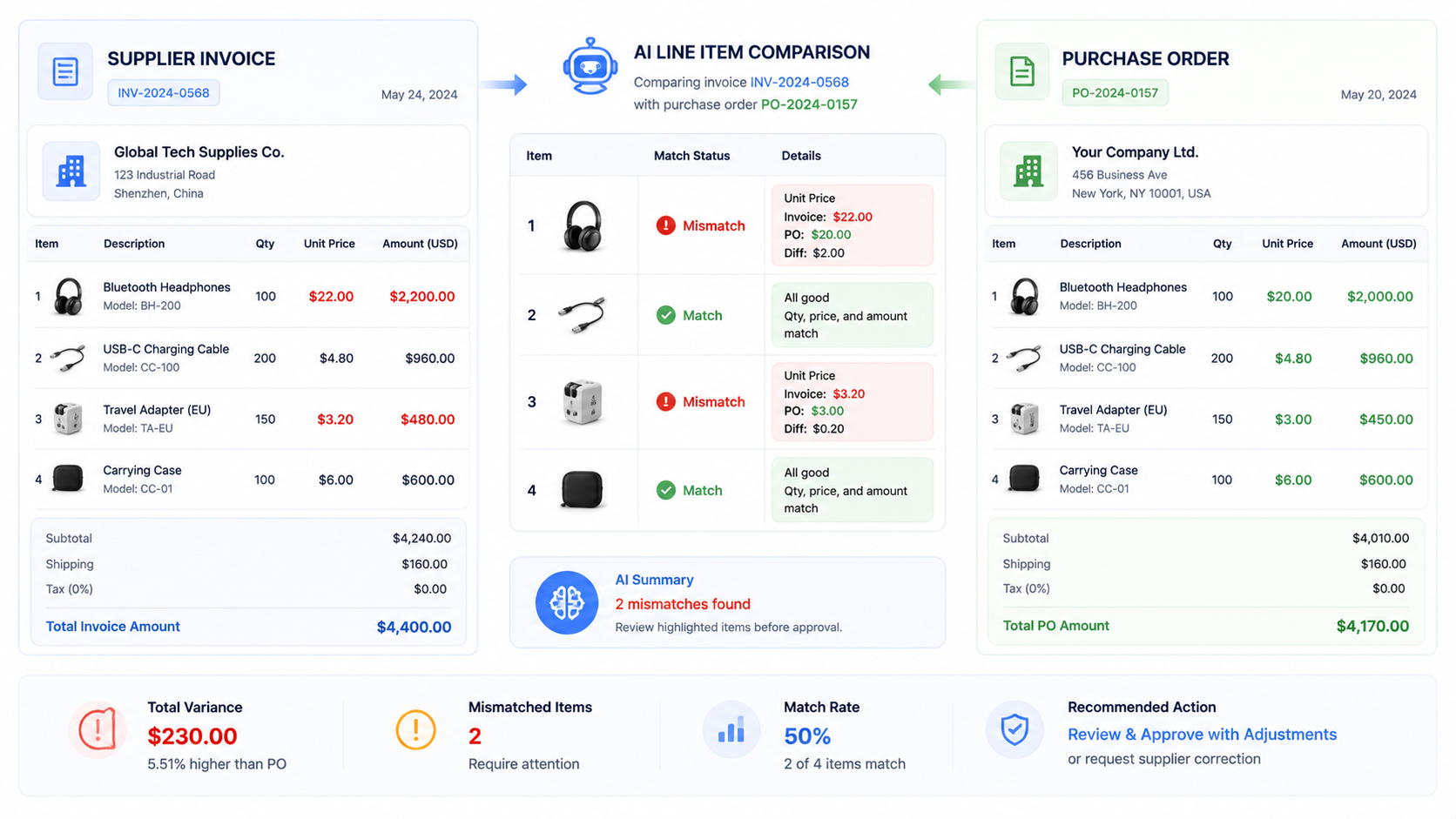
Suppliers make billing mistakes more often than you'd think. A file watching skill checks a folder for new invoices, pulls out the line items, and compares them against the matching purchase order.
If something doesn't add up, the agent drafts a message to the supplier instead of firing it off automatically. A person on the purchasing team still hits send.
7. Sorting Messages By How Urgent They Are
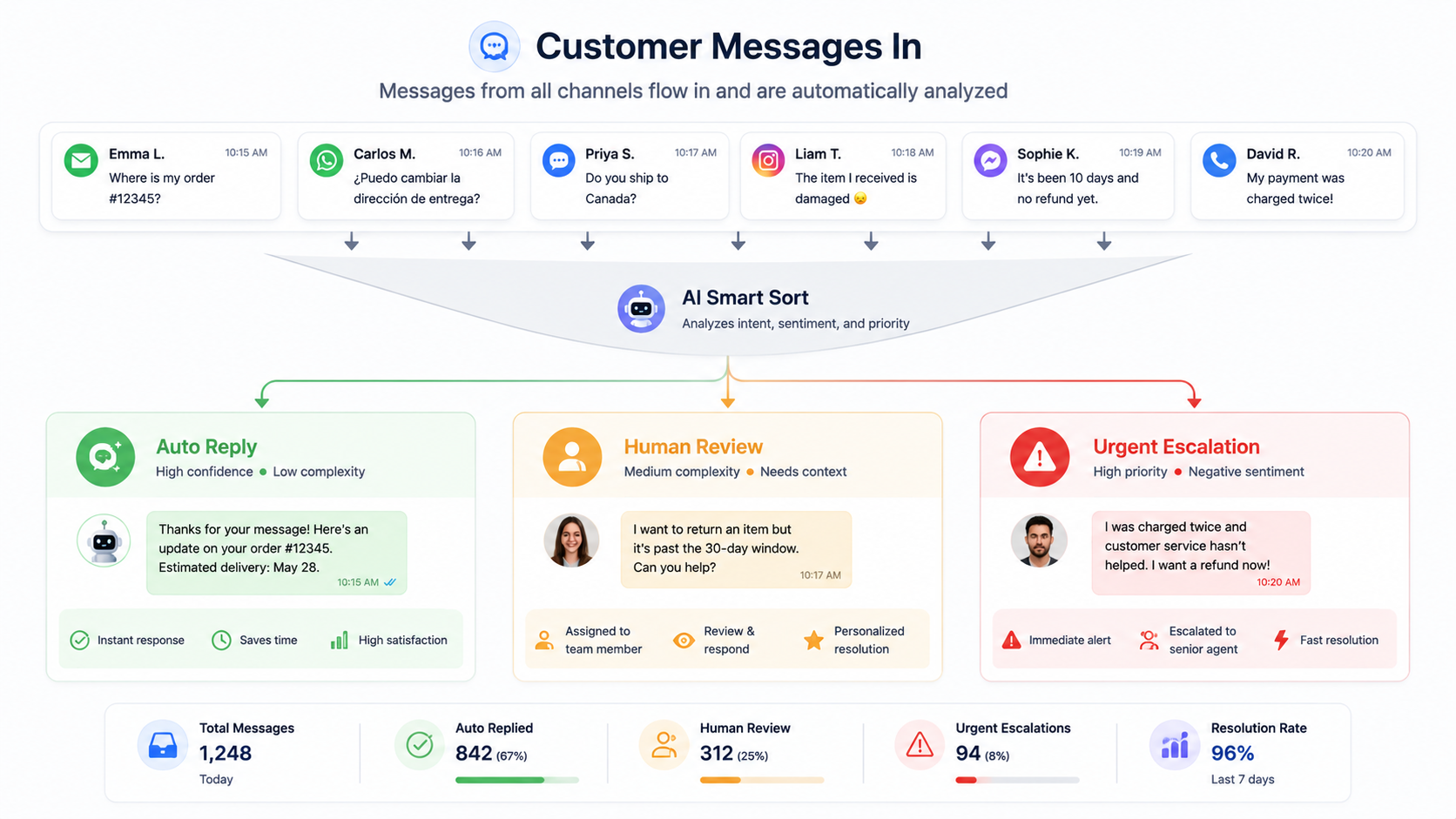
Not every message deserves the same speed of reply. A triage skill reads new messages, answers the easy ones like order status or return policy questions on its own, and flags anything that mentions a damaged item or a frustrated customer so a real person sees it first.
8. Catching Orders That Stall
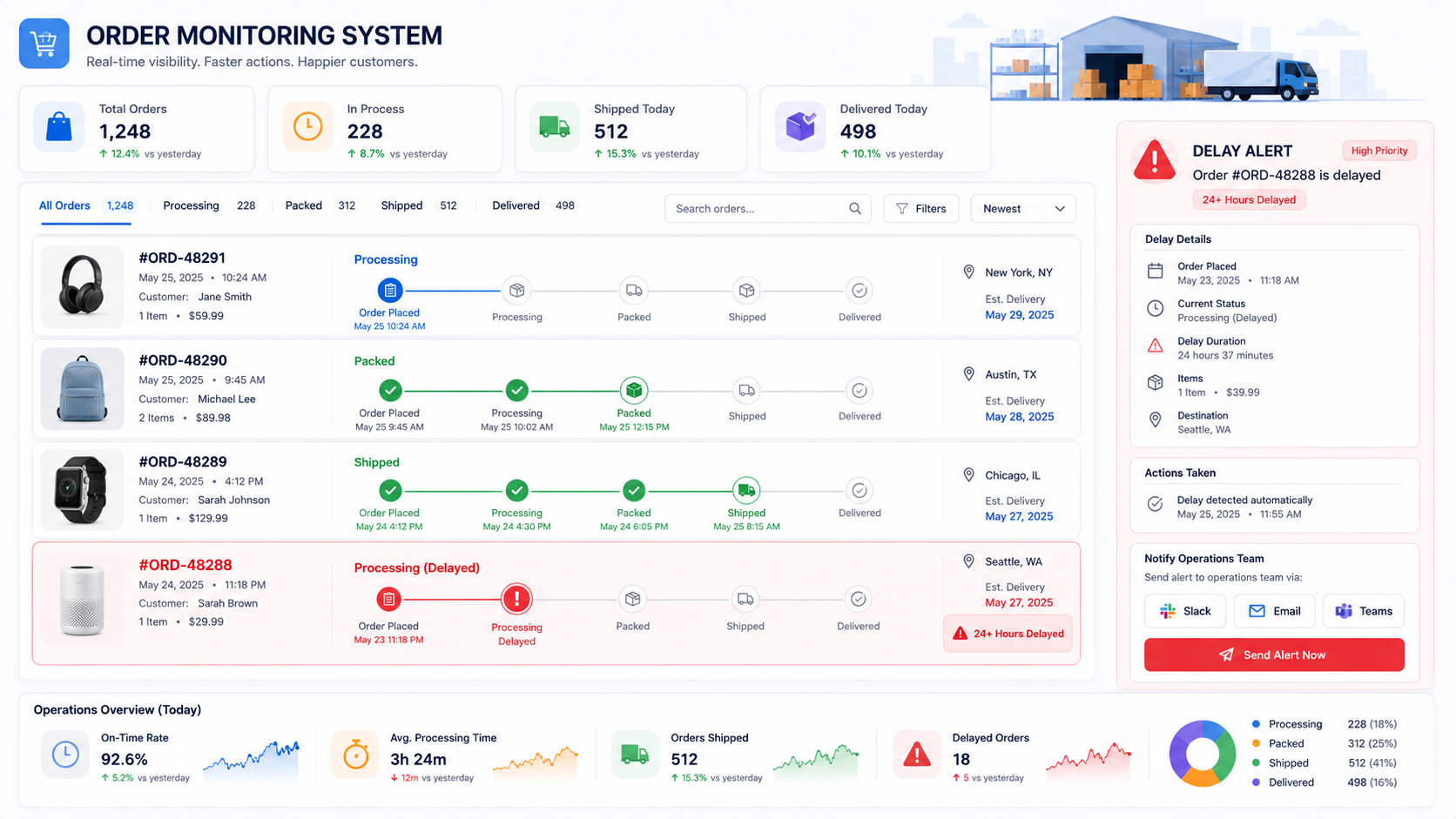
An order stuck in processing for more than a day usually turns into an angry email before anyone on the team notices. A scheduled skill checks order status throughout the day and posts an alert the moment a shipment crosses the 24 hour mark, so the team finds out before the customer tells them.
9. Connecting Tools Without A Mess Of One-Off Plugins
OpenClaw reaches other tools through something called the Model Context Protocol, or MCP. Think of it as a shared language that different programs use to talk to each other, instead of every company inventing its own private connection. Anthropic built MCP in November 2024, then handed it to a nonprofit called the Agentic AI Foundation, run under the Linux Foundation with backing from Anthropic, Block, OpenAI, Google, Microsoft, AWS, Cloudflare, and Bloomberg, according to Anthropic's own announcement.
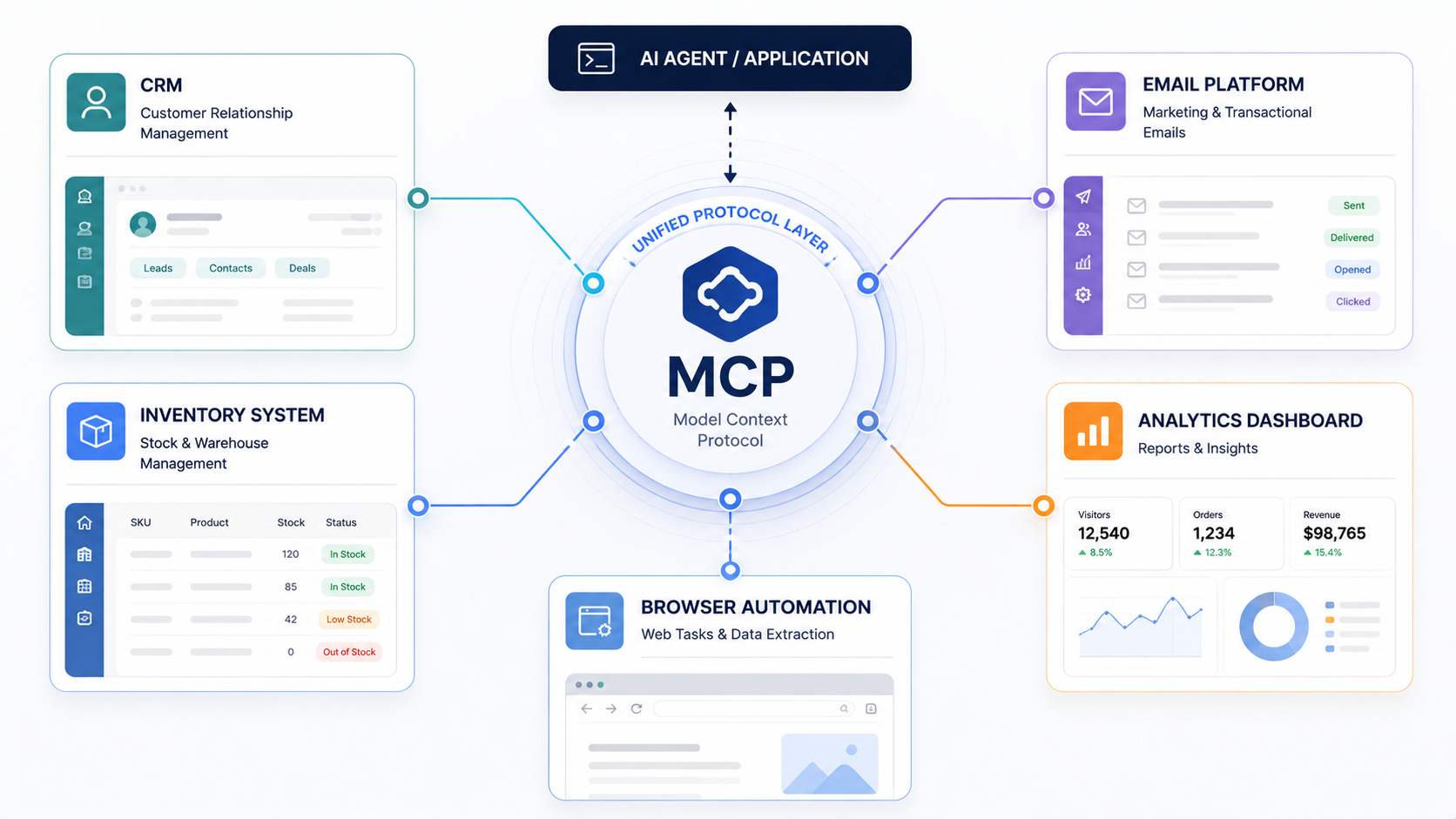
Why should you care? A shared, neutral standard tends to hold up better over time:
- A protocol run by a nonprofit is less likely to change its rules overnight than a single company's private API.
- More tool builders are adopting the same standard, which should mean fewer broken connections after future updates.
10. Letting An Agent Run A Tiny Business Almost Alone
The wildest OpenClaw story out there belongs to writer Nat Eliason. He gave an agent named Felix a small budget and let it build its own business: a website, a PDF guide, even a small marketplace for AI skills. In about two months, Felix made over $177,000, Eliason said in a recorded interview.
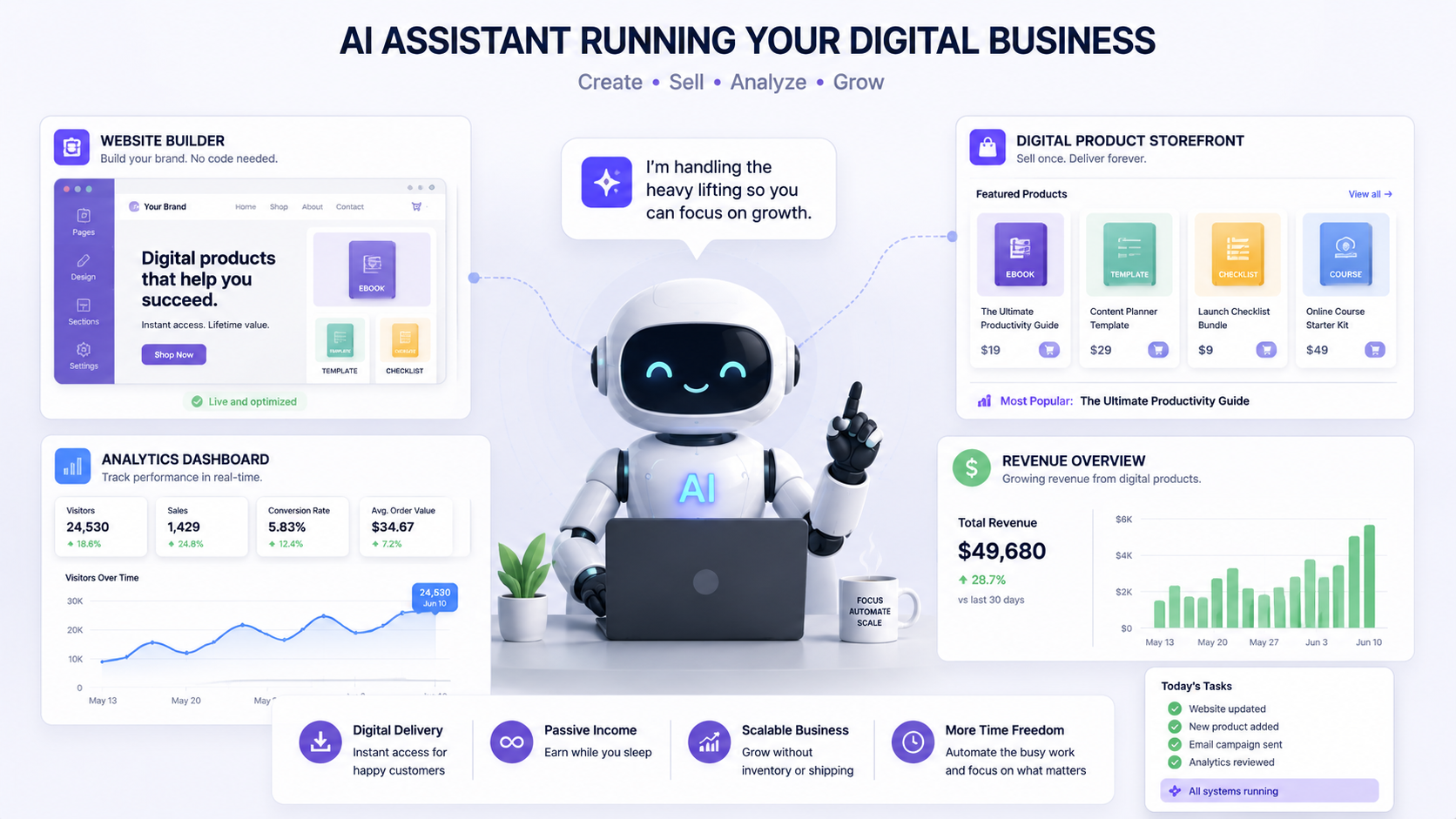
Cool story, but keep it in perspective. Felix sells digital products, not physical inventory shipped from a warehouse. It shows how far an agent pushes a launch on its own, not how it would handle boxes, shipping labels, or a return policy.
Don't Believe Every Stat You Read
Search OpenClaw and ecommerce together and you'll find bold claims fast: an 85 percent drop in stockouts, a market headed for $8.5 trillion by 2030. Numbers like that trace back to marketing blogs chasing traffic, not the OpenClaw project or any named research firm. Until someone can point to where a number actually came from, treat it as marketing copy, not data.
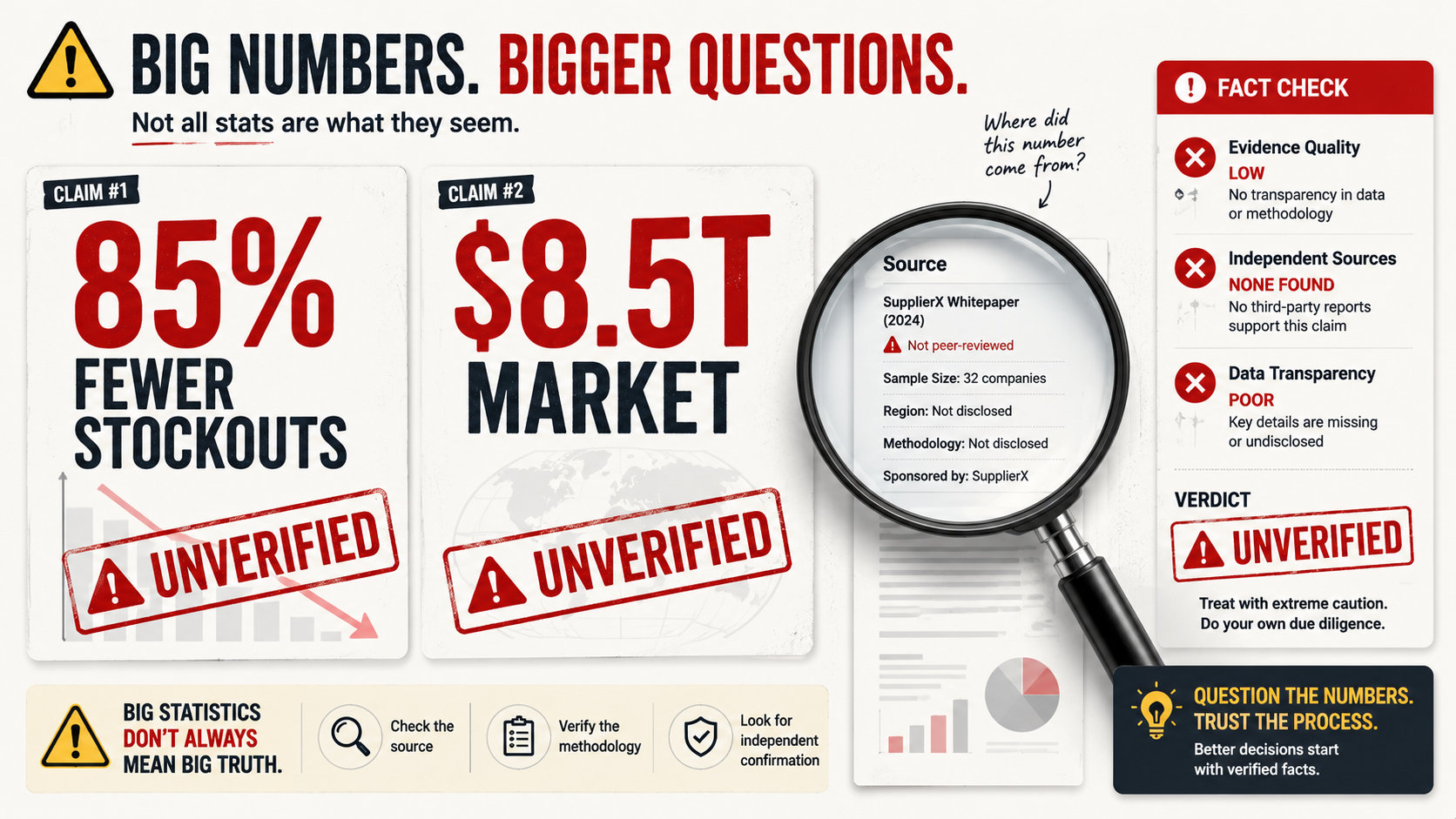
That skepticism tracks with what's happened elsewhere in AI shopping too. OpenAI tried letting people buy things straight inside ChatGPT, then quietly backed off after only a handful of Shopify stores used it during testing. AI shopping tools keep growing. They're just growing slower than the headlines suggest.
Lock It Down Before You Connect Anything Real
Running OpenClaw yourself means your customer messages, product info, and supplier deals stay under your control. Good news. But it also means every setup mistake is on you, not some vendor's support team.
A few habits keep that risk in check:
- Give OpenClaw the smallest amount of access a task actually needs. If a workflow only checks numbers, don't let it change anything.
- Stick to skills from verified ClawHub publishers. The platform now scans every skill with a tool called SkillSpector that hunts for hidden instructions, and posts a card showing exactly what the skill does.
- Run separate agents for separate jobs, so your customer support bot never shares access with anything connected to payments.
- Keep the gateway off the open internet and reach it through a private connection instead.
Quick Answers To The Obvious Questions
Was OpenClaw built just for online stores?
Nope. It's a general assistant, and sellers built the shopping skills on top of it themselves.
Does it replace tools like Helium 10 or Klaviyo?
Not really. It works best as an extra layer that drafts, watches, and flags things, while tools built specifically for pricing or email still do that heavy lifting.
Is it safe to connect to store data?
Yes, as long as you limit access, stick to trusted skills, and keep the gateway off the public internet.
Bottom Line: Start Small
Don't connect everything on day one. Checking stock and watching competitor prices are both low risk since they only read information and never change anything on their own, which makes either one a solid first project.
Once that feels easy, add something that touches customer messages or payments. Curious what else fits into a setup like this?
Check out the tools we use to run our own stores.