What Really Happens to Your Amazon Returns

Most sellers process Amazon returns, absorb the refund, and move on. But the item's journey after it leaves the customer's hands has real consequences — for your inventory, your cash flow, and your account health. Knowing what's actually happening behind the scenes helps you make smarter decisions about listings, programs, and how you structure your fulfillment.
How Amazon Returns Are Processed After Drop-Off
The moment a customer initiates a return, the clock starts — and the process looks pretty different depending on how you're fulfilling.
FBA Sellers
For FBA sellers, you're largely a spectator at this point. The customer drops their item at one of Amazon's 8,000+ return locations across the U.S. — Whole Foods, Kohl's, UPS, Staples — often without needing a box or even a printed label. Amazon consolidates those returns and routes them to dedicated return centers, which are separate from fulfillment centers and built specifically to handle inbound inventory.
Here's the part that stings: Amazon's refund-at-first-scan policy means the customer often gets their money back within hours of dropping the item off. Your inventory may not reach a return center for days. You're already out the refund before you've laid eyes on the product.
FBM Sellers
FBM sellers get more visibility into the process, but also more exposure. Returned packages head back to your designated address, so you're the one deciding what gets restocked and what doesn't. That means physically inspecting every item, grading its condition, deciding whether to repackage and relist it, and processing refunds within Amazon's required window.
The upside is that you're not at the mercy of Amazon's inspection team — you know exactly what came back and in what state. The downside is that every return is a task that lands on your plate, and during high-volume periods like Q4, that workload adds up fast.
How Amazon Returns Are Inspected and Graded
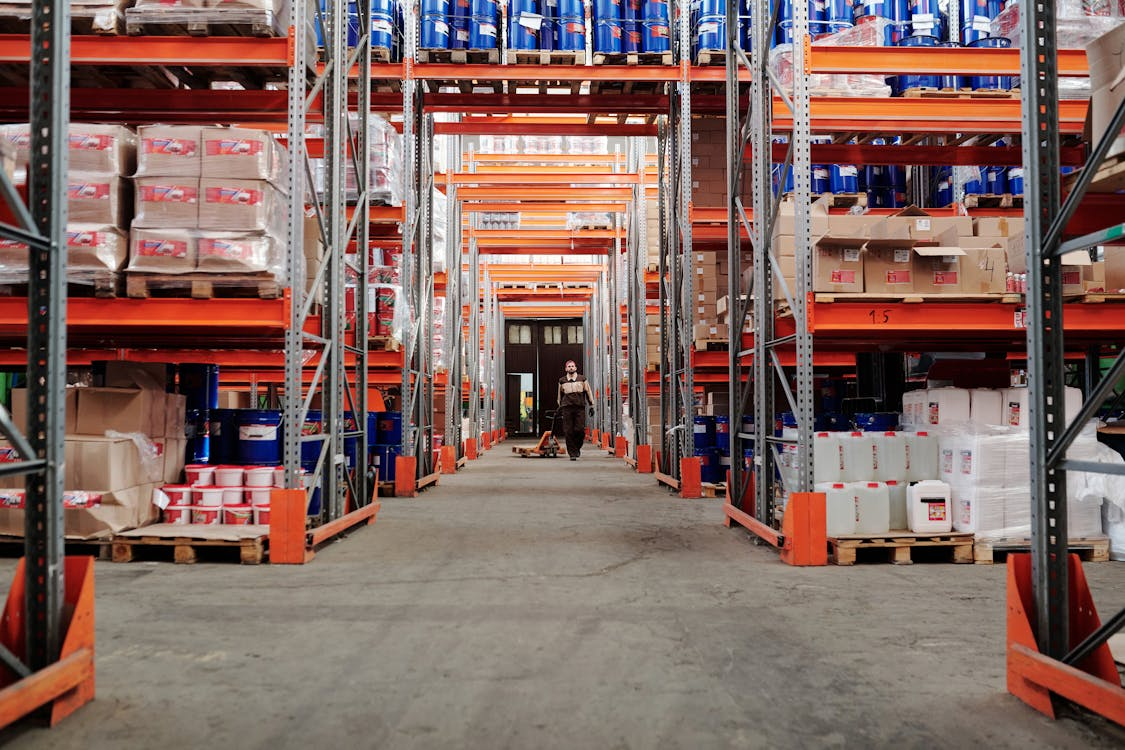
Once a return lands at an Amazon returns center, every item goes through a multi-point inspection. Associates check:
- Packaging integrity and whether seals are broken
- Signs of use, damage, or missing components
- Whether the contents actually match the listing
- For electronics: powering on, functionality testing, and a factory reset to wipe stored data
Products that come back in pristine condition get restocked as new and returned to your active FBA inventory. That bar is genuinely high. Items a customer never touched can still fail to qualify if the packaging took a hit or a seal was broken.
The Grading Tiers
Everything else gets graded and funneled into Amazon's secondary resale channels:
| Condition Grade | Resale Channel | What It Means for You |
|---|---|---|
| Used–Like New | Amazon Warehouse | Minor defects only; listed close to new price |
| Used–Very Good | Amazon Warehouse | Some cosmetic wear; still commands decent recovery |
| Used–Good | Amazon Warehouse or Amazon Outlet | Visible wear; listed at a steeper discount |
| Used–Acceptable | Amazon Warehouse or Amazon Outlet | Significant wear; lowest recovery value before disposal |
| Unsellable | Removed from active inventory | Eligible for liquidation, donation, or disposal |
When your item ends up on Amazon Warehouse or Outlet, it's listed at a discount under a used condition label — visible to buyers on the product detail page. You're no longer the seller of record for that unit at that point. Amazon owns the resale. You don't see additional revenue from it; the item simply exits your inventory and stops generating storage fees.
One important caveat: Amazon processes thousands of returns every day, and misclassification happens. Checking your return reports regularly is the only reliable way to catch grading errors before they quietly cost you money.
Category-Specific Return Windows Sellers Need to Know
The 30-day return window is the one most sellers know. It's also the one Amazon breaks most often. Some categories run longer, some shorter, and a few aren't returnable at all — and the differences matter more than people realize when you're calculating margin or planning inventory. Here's what actually applies:
| Category | Return Window | Notes |
|---|---|---|
| Most products | 30 days | Standard window |
| Baby items (new, unopened) | 90 days | FBA and FBM |
| Birthday Gift Lists | 90 days | Extended for gifting |
| Jewelry | 30 days | Standard window applies |
| Apparel and Shoes | 30 days | Additional FBA processing fee applies per return |
| Grocery and perishables | Not returnable | — |
| Hazmat and dangerous goods | Not returnable | — |
| Digital content and software | Not returnable once accessed | — |
| Holiday season purchases | Extended | December returns pushed into January |
Amazon returns in the Apparel and Shoes categories also carry an additional processing fee that applies to FBA sellers regardless of why the item was returned — even when the return isn't your fault. Worth factoring into your margin calculations if you sell in those categories.
Restocking Fees: What Sellers Can and Can't Charge
Restocking fees don't get talked about enough, and sellers regularly leave money on the table by not using them when they're entitled to.
When You Can Charge a Restocking Fee
You can apply a restocking fee when:
- The return arrives after the 30-day window has passed
- The item is returned used, damaged, or materially different from how it was sent
- The item is returned opened in a category where that affects resale value
You cannot charge a restocking fee on items returned in original condition within the standard return window. That applies regardless of category, product type, or how annoying the return was.
Fee Amounts by Condition
| Return Condition | Maximum Restocking Fee | Evidence Required |
|---|---|---|
| Opened but undamaged | Up to 20% of sale price | Condition notes |
| Used or damaged | Up to 50% of sale price | Photos recommended |
| Severely damaged | Up to 100% of sale price | Photos required |
For FBA sellers, Amazon handles restocking fees automatically when applicable and credits your account. For FBM sellers, the path in Seller Central is:
Orders → Manage Returns → Issue Refund → Charge Restocking Fee
You'll be prompted to document the reason and condition. Whatever you do, photograph everything — the packaging, the item, any damage — before you process the return. That documentation is your protection if a claim gets disputed.
FBA Grade and Resell: How to Recover Value From Unsellable Amazon Returns
If your returns are landing in the Unsellable bucket, you have more options than you might think — and Grade and Resell is the most underused one.
Instead of paying removal or disposal fees, you can opt into the program and have Amazon relist your graded items as used, with you still on record as the seller. You set the pricing based on a discount percentage off your new listing price, and those used listings show up alongside your active inventory.
Is It Worth It?
When a return comes back unsellable, here's how your options actually compare:
| Option | Cost | Outcome |
|---|---|---|
| Disposal | Fee per unit | Inventory gone; no recovery |
| Return to warehouse | Shipping + repackaging + re-inbound fees | You control resale, but unit economics rarely work out |
| Grade and Resell | $1.50–$4.10 flat fee per unit (by size) | Amazon relists it as used; you recover real value |
In November 2025, Amazon significantly expanded the program. The per-account ASIN limit jumped from 2,000 to 10,000, and enrollment shifted from automatic to opt-in, giving sellers much more control over what participates. Items graded as Unsellable through the program don't get charged a processing fee — they just go back to your unfulfillable inventory for you to handle separately.
Amazon Returns Liquidation: What Sellers Actually Recover
When items can't go through Grade and Resell or standard resale channels, liquidation is the next stop. Amazon works with platforms like Liquidity Services and B-Stock Solutions, which auction off returned and overstock inventory in bulk — by the pallet or truckload — to resellers and small businesses.
Recovery rates sit around 5% of the original sale price. It's not a great outcome, but it's better than storage fees piling up on inventory that's going nowhere.
One thing worth keeping in mind: once a product enters the liquidation market, it can end up anywhere — flea markets, eBay, Craigslist. If you've worked to maintain consistent pricing or brand presentation across channels, liquidation can quietly undercut that. It's worth weighing against a simple removal order before you commit.
What Happens to Amazon Returns That Can't Be Resold
Some items can't be resold, liquidated, or repaired — but they're still perfectly functional. Those often get donated through Amazon's FBA Donations program, which routes eligible inventory to nonprofits through Good360, a network of over 700 charitable organizations in the U.S. Amazon and its selling partners donated more than 160 million products globally in 2023 alone.
When donation isn't an option, the item heads to disposal. Amazon calls this “energy recovery,” which means incineration for heat or electricity rather than sending it to landfill. Amazon has a stated goal of zero product disposal and insists no items go to landfill. But the math is hard. Industry estimates put annual return-generated waste across all online retail at close to 6 billion pounds — roughly the waste output of 3.3 million Americans in a single year. For context, that number keeps growing as e-commerce return rates climb. It's a systemic problem that no single program has come close to solving.
How to Use Removal Orders Before Returns Pile Up
Unfulfillable inventory accumulates storage fees fast, and waiting for Amazon to route it through the returns pipeline isn't always the right call. Removal orders let you pull inventory out of Amazon's system proactively — on your timeline, not Amazon's.
You can initiate a removal order at any time from Seller Central to have inventory returned to you or disposed of. The reasons to do this vary — seasonal products past their window, items with rising long-term storage fees, or inventory you suspect will generate high return rates. Getting ahead of the problem is almost always cheaper than reacting to it.
Removal orders for items lost in transit have their own filing window: 15–75 days depending on the situation. If you wait too long, the claim becomes ineligible. Set a calendar reminder if you're regularly processing removals.
How FBA Reimbursements Work — and How to Not Miss Them
This is the area where sellers hemorrhage the most money without realizing it. Studies suggest the average FBA seller loses 1–3% of revenue to reimbursable issues that simply go unclaimed.
Amazon is supposed to automatically reimburse you when inventory is lost or damaged under its care. In practice, it doesn't catch everything — and since March 2025, the rules around what you're owed have changed meaningfully.
What You Can Claim
- Lost or damaged inventory in Amazon fulfillment centers
- Items damaged during internal handling or shipping to customers
- Customer returns that go missing, are mishandled, or are incorrectly classified
- Incorrect fee charges (wrong dimensions, weight miscalculations)
- Refunds issued to customers on orders that were never actually returned
The Inventory Defect and Reimbursement (IDR) Portal
Amazon launched the IDR portal to give sellers a centralized place to track all inventory-related defects and reimbursable opportunities. Access it through Seller Central: FBA Dashboard → Inventory → Inventory Defect and Reimbursement. The portal shows you defect type, creation date, current status, and reimbursement amount in one place — instead of forcing you to cross-reference multiple reports. If you disagree with a resolution, you can raise a case directly from within the portal.
Note that the IDR portal does not cover missing inbound shipments, removals, or warehouse disposals — those still require separate manual claims.
The Deadlines You Cannot Miss
Amazon cut the reimbursement claim window dramatically starting in October 2024. The current deadlines are:
| Claim Type | Filing Window |
|---|---|
| Lost or damaged in warehouse | Within 60 days of the event |
| FBA customer return issues | 60–120 days from refund or replacement date |
| Removal order lost in transit | 15–75 days from shipment creation |
| Other removal delivery issues | Within 60 days of delivery back to seller |
Miss those windows, and the claim is gone. There are no extensions.
The Reimbursement Value Change (March 2025)
This one hurt. As of March 31, 2025, Amazon now reimburses based on your manufacturing or sourcing cost for inventory lost or damaged before a customer order — not your selling price. If you sell an item for $40 but Amazon estimates your cost at $8, that's what you get back.
Your defense: submit your actual cost data for every SKU through the IDR portal. If you don't provide it, Amazon estimates it — and those estimates skew low. For high-margin products, the difference between Amazon's estimate and your actual cost can be substantial.
The Policy Changes Every Seller Should Know (2024–2026)
Amazon has been quietly rewriting the returns rulebook. Some of these changes were announced with minimal fanfare. Others sellers discovered the hard way.
| Policy Change | Effective Date | Who It Affects |
|---|---|---|
| Returns processing fee for high-return ASINs | June 2024, revised 2026 | FBA sellers |
| Reimbursement claim window cut to 60 days | October 2024 | FBA sellers |
| Reimbursement basis changed to manufacturing cost | March 31, 2025 | FBA sellers |
| FBM refund window extended to 4 calendar days | January 26, 2026 | FBM sellers |
| Returnless refund rules (seller-configurable) | Ongoing | FBA and FBM sellers |
| Extended holiday return window | Annual (Q4) | FBA and FBM sellers |
Returns Processing Fee (June 2024 — Updated for 2026)
Amazon introduced a returns processing fee in June 2024 for ASINs that exceed category-specific return rate thresholds. The important update for 2026: the fee structure was revised so that you're only charged when your total return rate on a product surpasses the category threshold — not on every individual return.
Category benchmarks typically sit between 5–8% depending on product type, and fees range from 2.9% to 12.8% based on size tier and weight. Clothing and shoes are exempt from this fee but instead carry their own per-order return processing charge.
FBM Refund Window Extended to Four Calendar Days (January 26, 2026)
Previously, FBM sellers had two business days from receiving a return to process a refund. As of January 26, 2026, that extended to four calendar days. The catch: miss that window and Amazon auto-refunds the customer, and you lose SAFE-T claim eligibility in most cases.
The Guided Refund Workflow in Seller Central is now the recommended path — it lets you grade returned items, apply restocking fees, and upload evidence if the item came back in worse condition. This change does not affect returns issued through Amazon's prepaid return labels, where Refund at First Scan still applies.
Reimbursement Window and Value Basis (October 2024 and March 2025)
These two changes are covered in detail in the reimbursement section above, but the short version: the filing window dropped from 18 months to 60 days, and what Amazon pays you is now based on your manufacturing cost, not your selling price. If you haven't adjusted your auditing workflow to account for both, now is the time.
Returnless Refunds
Sellers can configure returnless refund rules in Seller Central — by SKU, price band, and return reason. It cuts operational friction on low-value items, but every returnless refund is a complete write-off. The product doesn't come back, and you rarely recover the full loss. Set those rules with a clear-eyed view of your margins.
Extended Holiday Return Window
Every year, Amazon extends its return window during the holidays, which means returns that would normally arrive in December get pushed into January. The volume isn't necessarily higher — it's just delayed. Plan for a spike in early January and have your workflow ready.
Return Fraud and What Sellers Can Do About It
Return fraud is a growing problem on Amazon, and it's costing sellers more than most people talk about openly. Some sellers report return rates on Amazon running two to three times higher than what they see on Walmart or eBay, with fraud accounting for a meaningful chunk of that gap.
Common Fraud Schemes
- Returning a different, used, or lower-value item in place of the original
- Claiming damage that didn't occur to trigger a refund
- Exploiting returnless refund policies on low-cost products
- “Wardrobing” — buying items temporarily to use and returning them within the window
Amazon says it has zero tolerance for fraudulent returns and takes actions like denying refunds and requiring identity verification for repeat offenders. For sellers, the main recourse is filing a SAFE-T claim. You're eligible to file when:
- The customer returned a different item than what was sold
- The returned item arrived damaged or used and Amazon issued a full refund anyway
- A returnless refund was granted but the item's condition doesn't meet the criteria you set
- Amazon issued a refund outside of its stated policies
The review process is manual, outcomes aren't guaranteed, and Amazon typically requires supporting evidence — photos of the return, the original item, packaging condition, and any customer communications. File within 60 days of the refund being issued. After that window, the claim is ineligible regardless of how clear-cut the fraud was.
How Returns Damage Your Seller Metrics — and What to Do About It
Returns ripple outward in ways that go beyond the refund itself.
High return rates can signal product quality or listing issues to Amazon's algorithm and hurt your chances of winning the Buy Box. Returns also feed into your Order Defect Rate alongside A-to-Z claims and chargebacks — Amazon requires that number to stay below 1%, and it doesn't take many bad returns to move the needle.
Stranded inventory is another downstream consequence worth watching: returned products that reenter FBA sometimes end up without an active listing, sitting in a fulfillment center generating storage fees you might not notice for weeks.
On the forecasting side, returned products that reenter FBA must be re-verified before they can be resold, which delays replenishment cycles. In Q4, when velocity matters most, that lag is genuinely painful.
Reducing Returns at the Source
The most effective thing you can do is reduce returns before they happen:
- Audit your return reason codes regularly — patterns there usually point to a fixable listing or product problem
- Invest in accurate photography that shows size, scale, and real-world context
- Write specs that actually answer questions buyers have before they purchase
- Use A+ content to set clear expectations and close information gaps
- Monitor customer questions — repeated pre-purchase questions signal what your listing isn't explaining clearly
- Respond to customer issues fast — unresolved friction before delivery often becomes a return after it
Fixing the root cause is almost always cheaper than absorbing the returns.
The Bottom Line
Amazon returns are one of those parts of selling on the platform that nobody enjoys, but ignoring the mechanics is expensive. Your returned inventory goes through a real process — inspection, grading, resale, liquidation, donation, or disposal — and where it lands depends partly on Amazon's decisions and partly on yours.
The sellers who handle returns well aren't the ones with zero returns. They're the ones who know the system, opt into the right programs, catch reimbursement errors before the window closes, use restocking fees when they're entitled to, and treat their return data as a signal worth paying attention to. That's the difference between returns being a constant drain and a manageable cost of doing business.